Operational work orders
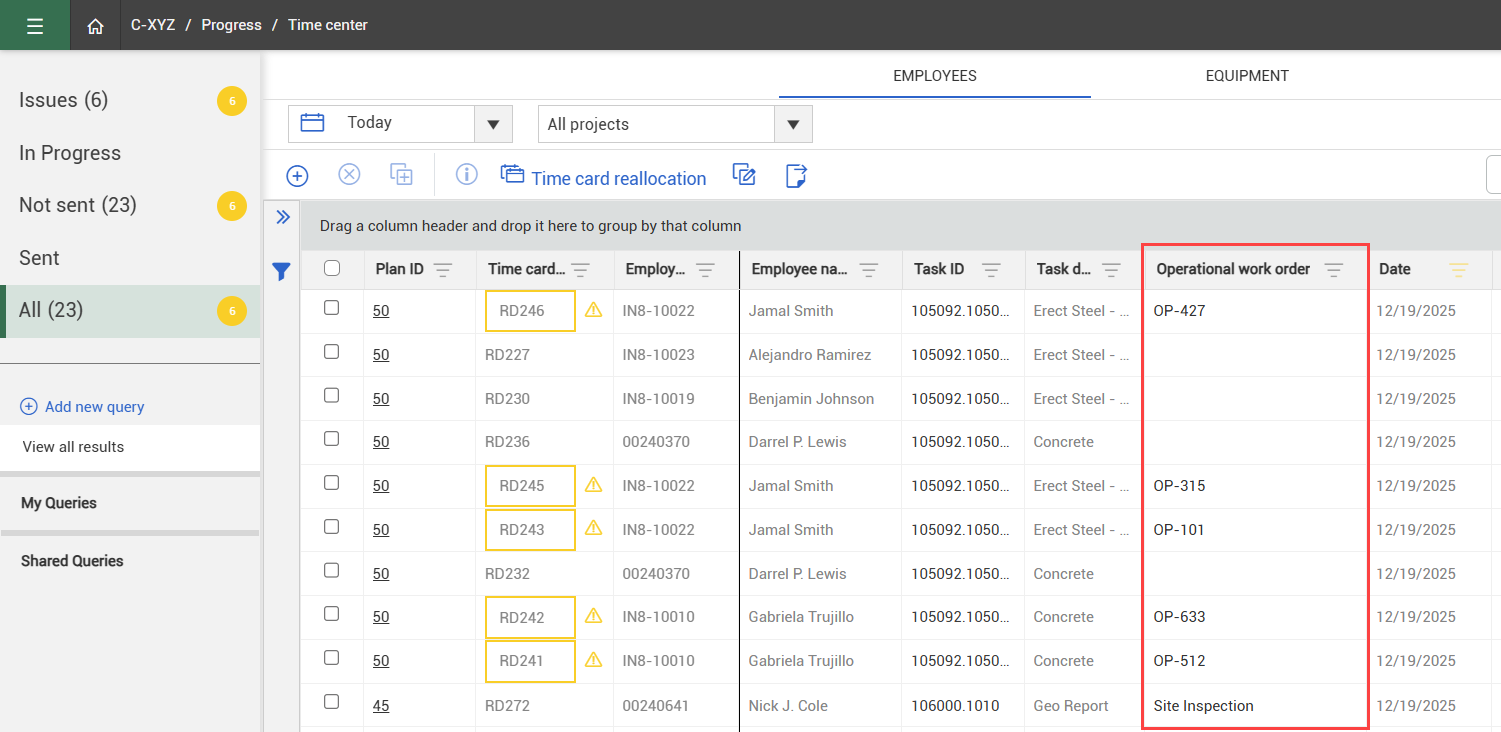
Daily plans are typically prepared for work crews, but you may also have employees completing individual maintenance tasks. You can track these hours as operational work orders on a daily plan. Operational work orders are tracked against tasks on the Time Sheet tab, and you can view their associated details in Time Center after the daily plan is approved.
Operational work orders are used to track employee hours worked on specific tasks managed through work orders, such as on-site maintenance or building repairs. Maintenance work orders are used to track work performed on equipment items, such as scheduled maintenance or repairs.
Add operational work orders to a daily plan
-
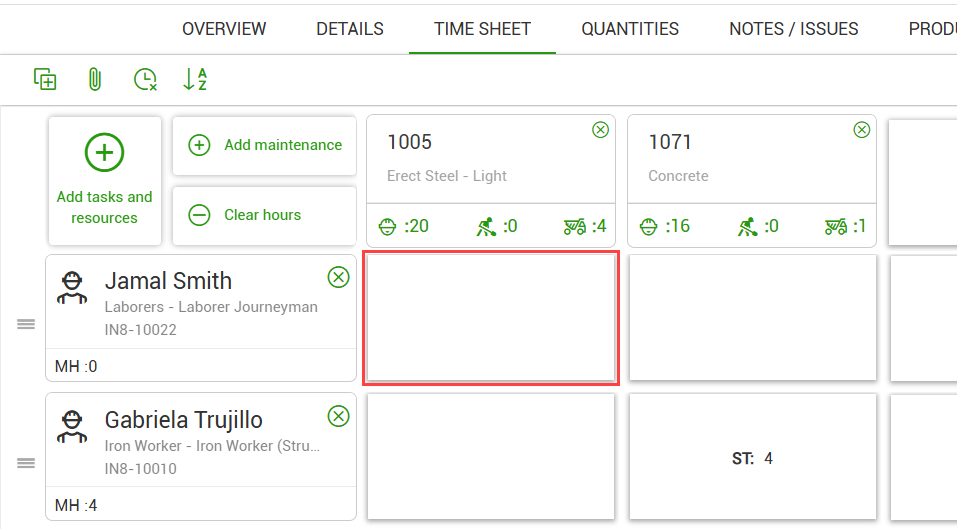
Open the Time Sheet tab on a daily plan.
-
Click the tile to add employee hours for a task.
-
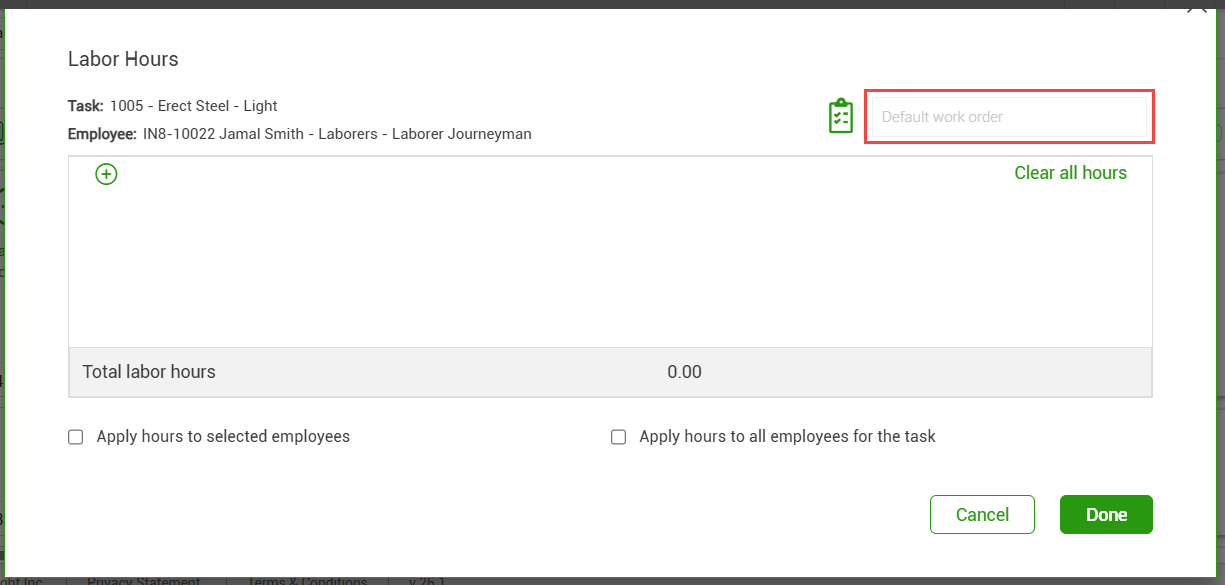
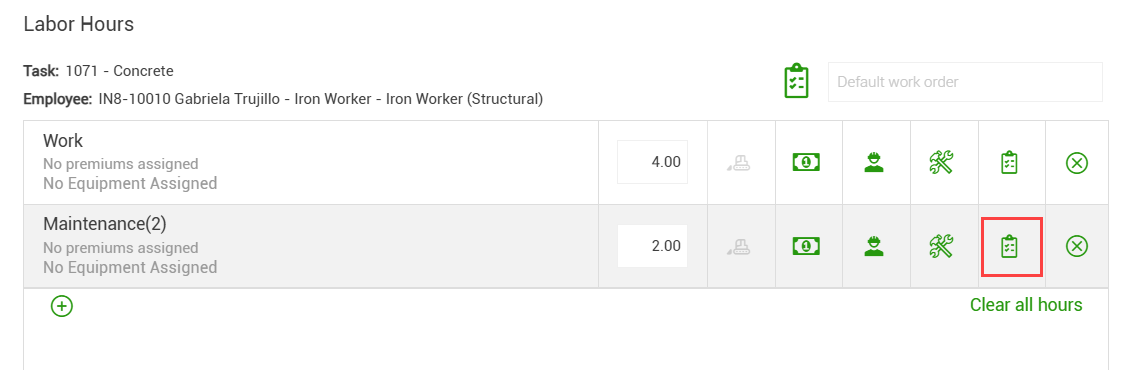
In the Default work order field, enter a default name for the work orders on this time card.
-
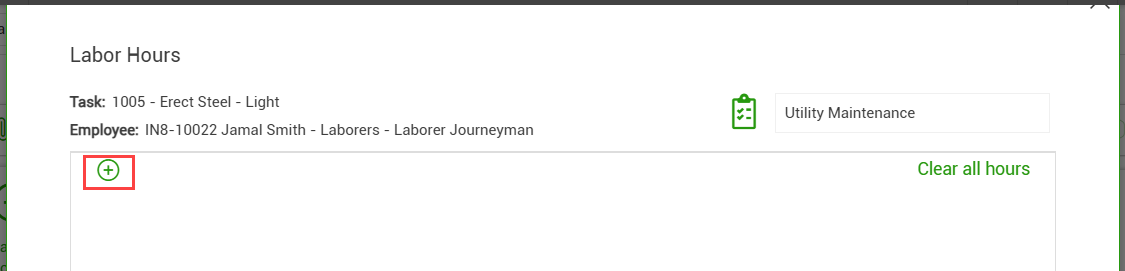
Click the Add icon to add work hours, and then select an appropriate reason code.
-
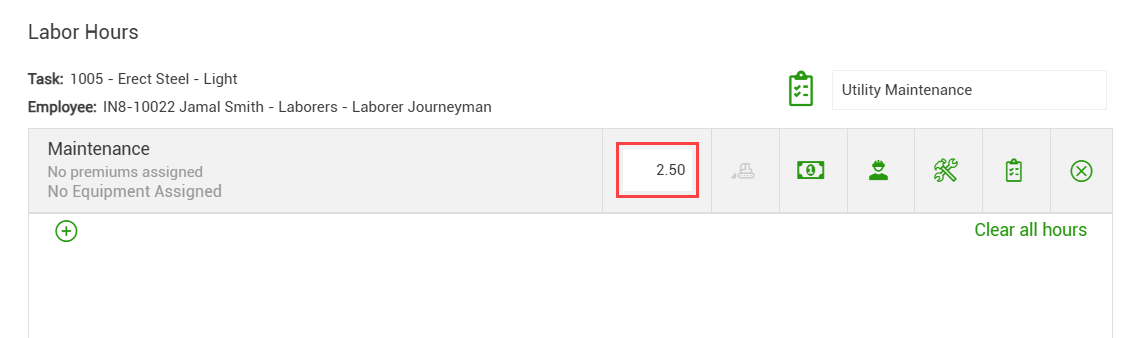
Enter the hours for one operational work order.
-
To add a work order that applies to only one row on the time card, click the Work order icon on the time card row, and then enter a name for this work order.
This overrides the default work order, if one was entered.
-
Add additional work orders as needed.
-
When you are finished, click Done.
After a daily plan is approved, the operational work order details can be viewed in Time Center.